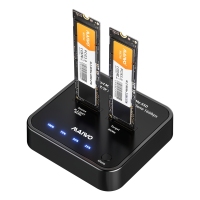
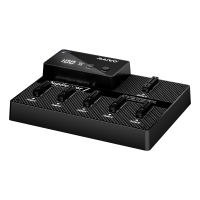
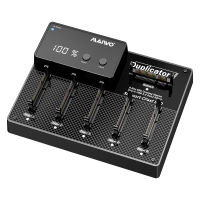
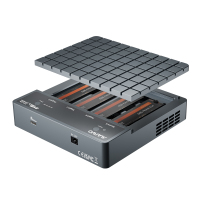
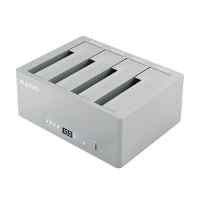
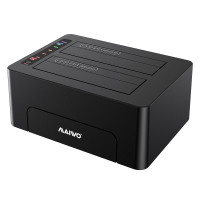
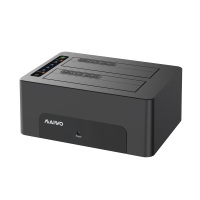
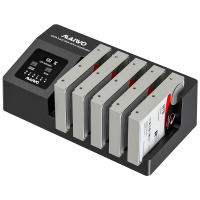
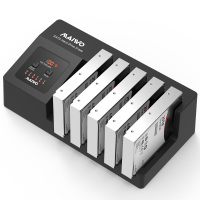
MAIWO 10Gbps Dual NVMe Cloner Dock is the easiest way to manage your solid-state drives. Whether you're upgrading your laptop's storage or backing up precious family photos, this dock does the hard work for you.
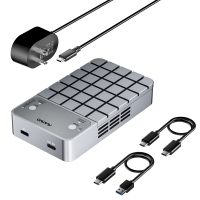
Simply insert your M.2 NVMe drives into the two tool-free slots. To make an exact copy of your drive—including your operating system and all your files—just press the "Clone" button. That's it. An LED progress bar keeps you in the know, and there's no risk of software conflicts or data errors . Need to access the drives on your computer? Connect the included USB-C cable for 10Gbps speeds . It's plug-and-play with Windows, Mac, and even iPad. It’s the simplest, safest way to handle your data.MAIWO professional-grade dual NVMe SSD cloner and dock. This device serves two critical functions in one compact, durable chassis. First, it functions as a high-speed standalone duplicator, allowing for sector-by-sector NVMe cloning without a host computer—perfect for quickly configuring multiple systems or creating secure, offline backups .Second, it doubles as a high-performance docking station. The USB 3.2 Gen 2 interface provides a 10Gbps bridge to access one or two NVMe drives simultaneously for rapid data recovery, system imaging, or file transfers . The rugged, tool-free design supports all common NVMe sizes (2230, 2242, 2260, 2280) and features advanced thermal management to ensure reliability under continuous load . Upgrade your lab or workshop with a solution that simplifies disk management and maximizes productivity.
it's a high-speed dual NVMe docking station engineered for performance. Harnessing the power of USB 3.2 Gen 2, you get blistering 10Gbps data transfers—up to 1250MB/s—making massive game installations, 4K video libraries, and design assets instantly accessible .The standalone offline cloner. Upgrading to a faster, larger NVMe drive has never been simpler. Just insert your source and target drives, press the clone button, and walk away. It creates a perfect, bootable replica of your OS, games, and software without tying up your computer . Built with a premium aluminum body and a 360° cooling system, it ensures your expensive NVMe drives stay at peak performance even during the most intense read/write sessions . Tool-free installation means you can swap drives in seconds. For the gamer or pro who demands speed and efficiency, this is the essential tool.
【How fast is the MAIWO M.2 NVMe cloner for data transfer? 】With USB 3.2 Gen 2 technology, this dual NVMe docking station delivers real-world speeds up to 1250MB/s. That means you can transfer a 10GB 4K video file in about 8 seconds without any bottleneck. Perfect for video editors and content creators who work with large files daily.
【Can I clone an NVMe drive without using a computer? 】Yes. This MAIWO offline cloner works completely standalone. Just insert your source and target SSDs, press the clone button once, and it performs a bit-for-bit copy. The target drive must be equal or larger in size than the source. This is ideal for migrating your operating system to a new, larger SSD without reinstalling Windows or macOS.
【Which M.2 NVMe SSDs work with this docking station? 】This MAIWO dual bay cloner supports M-Key NVMe SSDs in all standard lengths: 2230, 2242, 2260, 2280, and 22110. Each bay handles up to 8TB, for a total of 16TB. The tool-free design means you can install or swap drives in seconds without any screwdriver. Perfect for tech enthusiasts and IT professionals who work with multiple SSDs regularly.
【Advanced Thermal Management 】This MAIWO dock features a vertical open-air design that acts like a giant heat sink, providing 360-degree cooling around the SSDs. This prevents thermal throttling and maintains stable performance even during extended cloning sessions. It gives you peace of mind for large backups or overnight drive duplication.
【Is this NVMe docking station compatible with my devices? 】Yes. It is true plug-and-play with no drivers needed. The MAIWO cloner works seamlessly with Windows, macOS, Linux, iPadOS, Android, and even PS5 consoles. Whether you are a PC gamer expanding storage, a Mac user backing up photos, or a PS5 player adding game libraries, this dock has you covered.